
Numerics brings the power of data visualization to Todoist, enabling you to transform your productivity data into insightful dashboards in a matter of minutes.
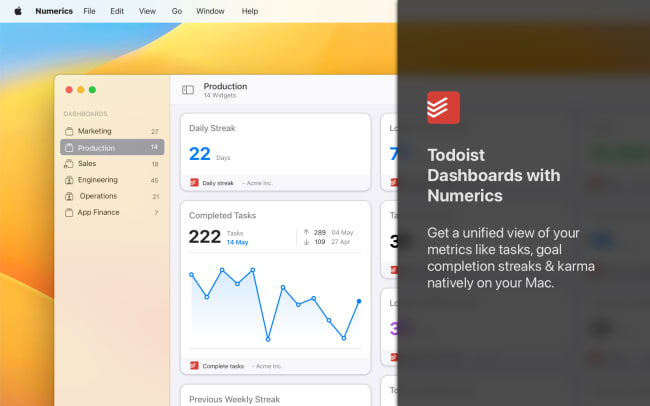
Integrate Numerics with Todoist to get a unified view of your productivity metrics like tasks, goal completion streaks, and Karma. With over 11 ready-to-use KPIs, Numerics provides a unique platform to track task management performance and gauge productivity trends.
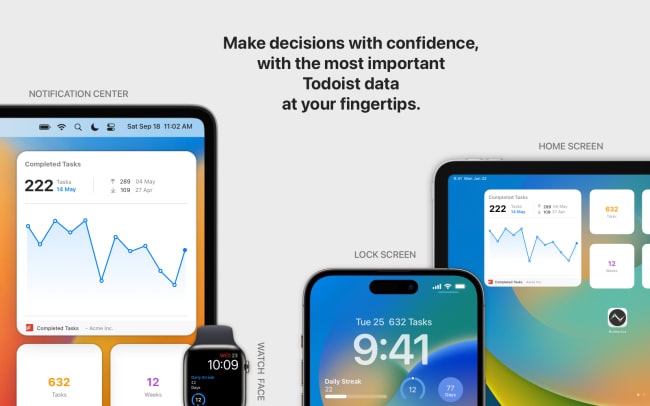
Designed natively for all Apple device form factors, Numerics provides an unparalleled user experience. Enhance your productivity tracking with Notification Center widgets, Lock Screen and Home Screen widgets, Light/Dark mode switching, and more. Utilize the core MacOS & iOS features like Siri, Notifications, and Spotlight to deliver important metrics.
Ominaisuudet
-
Create productivity dashboards in a matter of minutes with 11 Todoist ready-to-use KPI templates.
-
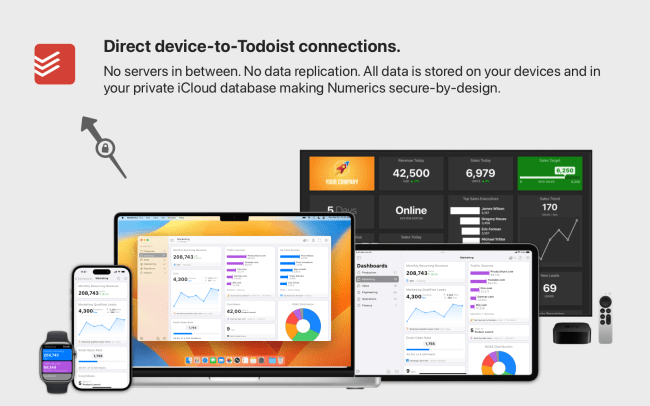
Direct device-to-Todoist connections are processed entirely on-device, making it secure by design.
-
Visualizations automatically adapt to all device sizes and display points, such as the Home Screen and MacOS sidebar.
-
Wear your Todoist KPIs on your Apple Watch and stay up to date with your marketing performance on the go.
-
Design dashboards once and track metrics on all devices. Apple iCloud Sync ensures dashboards stay updated at all times.

Can’t find the integration you’re looking for?
Integrate with thousands of other apps via our automation partners. Or, explore our API to build your own extensions or integrations.