
Some have called Jira Software the number one software development tool for agile teams. The tool allows software teams to create issues, plan sprints, track progress, and to ship with confidence. Plus, as no two teams are the same, it’s easy to customize — whether you want to get started quickly with an out-of-the-box workflow or build a tailor-made plan that matches your unique flow.
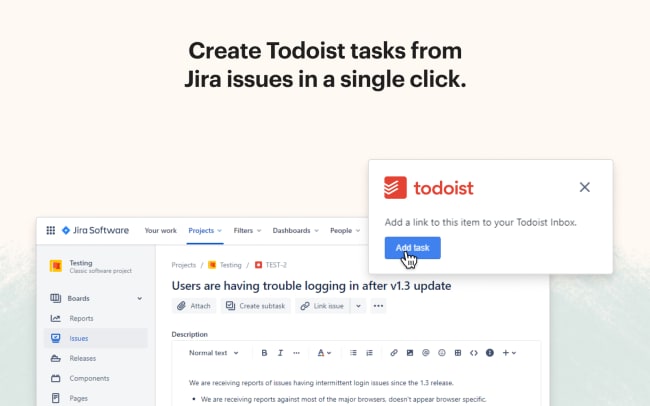
Connecting Todoist and Jira ensures nothing gets forgotten during sprints. This integration lets you create Todoist tasks right from Jira with a single click. And once it’s time to tick it off your to-do list, you can head right back to Jira by clicking the link that’s been automatically created in your Todoist task.
功能
-
Plan, track, and prioritize every step for a release by creating Todoist tasks from Jira in a single click.
-
Ready to check it off your list? Just click the link that is auto-added to the name of your Todoist task. Done!
-
Resolve tricky issues by collaborating on tasks with teammates inside Todoist.

Can’t find the integration you’re looking for?
Integrate with thousands of other apps via our automation partners. Or, explore our API to build your own extensions or integrations.