When collaborating with others, a task may need a bit more context than what you can fit into a task name. That’s where task descriptions come in handy! It's where you can add provide additional information about the work, or share links that are relevant to the task. If you need to duplicate the task, all the details stay right where they are.
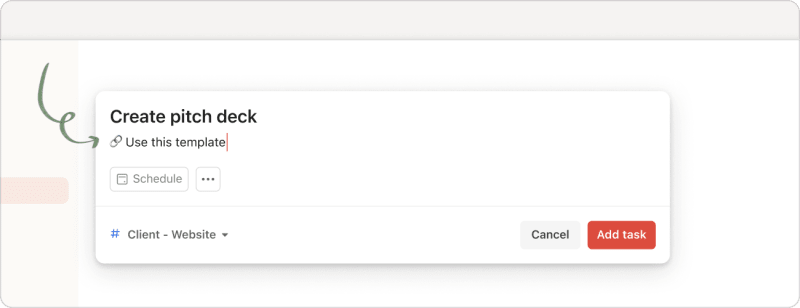
Add a task description to a new task
Quick tip
- Click Add task.
- Give the task a name.
- Click the + icon below the task name, or press ↓, to reveal the description field.
- Enter the task description. You can enter up to 16,384 characters of text.
- Click the red Add task button.
Quick tip
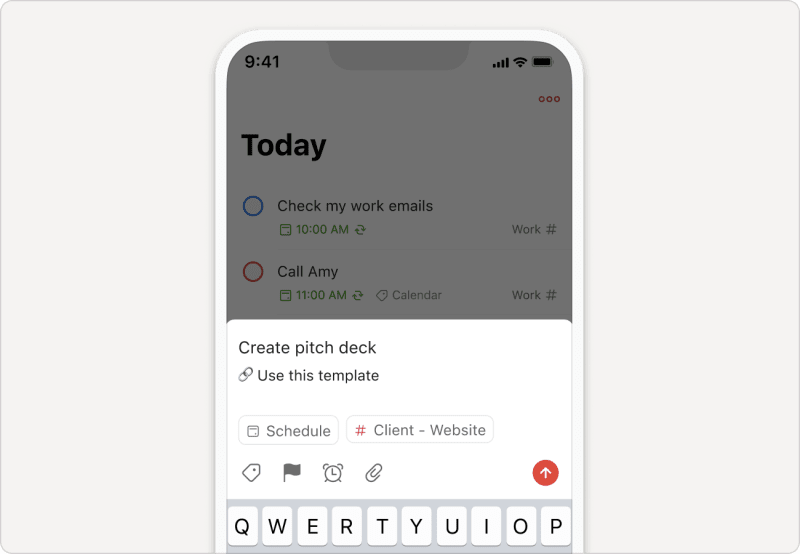
- Tap the red Dynamic Add button.
- Give the task a name.
- Tap the + icon below the task name to reveal the description field. You can enter up to 16,384 characters of text.
- Enter the task description.
- Tap the submit icon.
Note
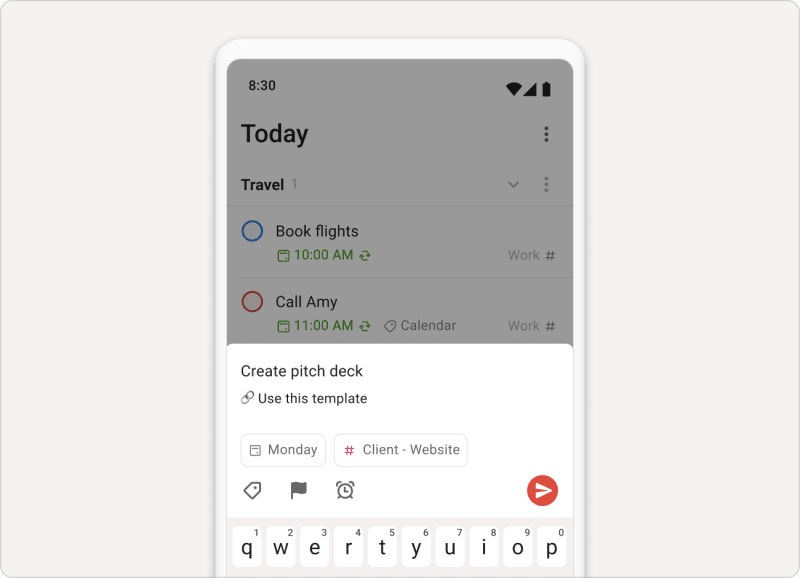
- Tap the red Dynamic Add button.
- Give the task a name.
- Tap the + icon below the task name to reveal the description field. You can enter up to 16,384 characters of text.
- Enter the task description.
- Tap the submit icon.
Note
Add a task description to an existing task
- Click the task to add a task description to. This opens the task view.
- Click the description field.
- Enter the description for the task. You can enter up to 16,384 characters of text.
- Click Save to confirm.
- Tap the task to add a task description to. This opens the task view.
- Tap the Description chip.
- Enter a description for the task. You can enter up to 16,384 characters of text.
- Tap the red check icon at the top-right to confirm
- Tap the task to add a task description to. This opens the task view.
- Tap the .
- Enter a description for the task. You can enter up to 16,384 characters of text.
- Tap Save at the top-right to confirm.

Marco · Customer Experience Specialist
Search for a task based on the task description
To search for a task based on its task description, click or tap Search from the sidebar or navigation, and enter text that match the task description.
If you're using the Todoist web or desktop apps, task descriptions are displayed as bold text in the search results.
If you're using the Todoist mobile apps, you’ll see a row of tabs above your search results. Tap the Descriptions tab to view task descriptions that match your search criteria.
Get in touch
If you're having trouble adding task descriptions in Todoist, get in touch with us.