If you want a task that functions as a header, which you can also add comments and files to, or if you want to keep a parent task with several sub-tasks from being completed by accident, then an uncompletable task may be exactly what you're looking for.
Make a task uncompletable
When creating a new task or making changes to an existing one, add an asterisk * and space ␣ before the task’s name to make it uncompletable. These tasks don't have the circle icon next to the task name.
For example, if you want to create an uncompletable task called "Flight check-in", write * Flight check-in.
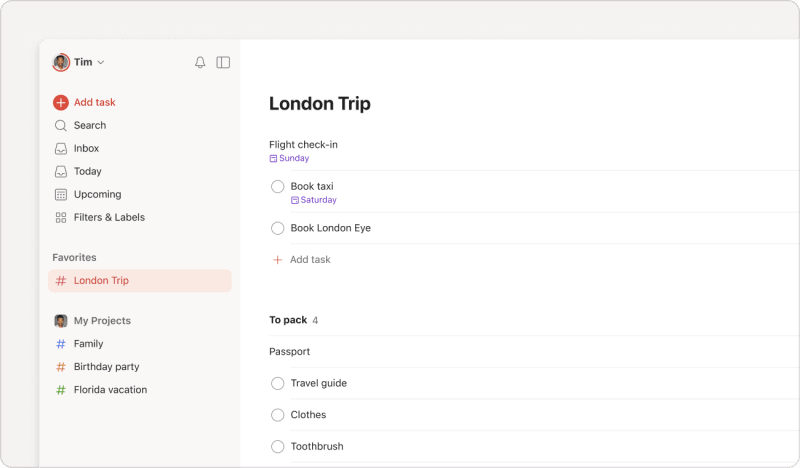
Although it looks similar to sections, you can add comments, attach files, add a date and time, and assign people to an uncompletable task.
An uncompletable task can't be completed, even if it has a recurring date. It won't move to its next date, so keep recurring parent tasks completable. To bring their sub-tasks back each time you complete the parent task, turn on Reset sub-tasks.

Pierre · Customer Experience Specialist
Make a task completable
If you want to turn an uncompletable task back into a completable task, remove the asterisk (*) and space from the beginning of the task’s name.